 WhichProfile
One sound. Too many profiles.
Ding.
Which profile
was that?
Chrome suggests one profile per account — work, personal, a client. Then a notification lands, and nothing says which one. WhichProfile says its name out loud.
In review on the Chrome Web Store. The install button turns on the day it's published.
- Free
- Open source
- Nothing leaves your computer
- 8 interface languages
Three steps, then you forget it's there.
One copy per profile. Each copy knows only its own name.
Install it in each Chrome profile
Every profile gets its own copy, with its own settings. Nothing is shared between them.
New to profiles? Chrome keeps each account in its own profile — bookmarks, passwords, notifications. How to add one.
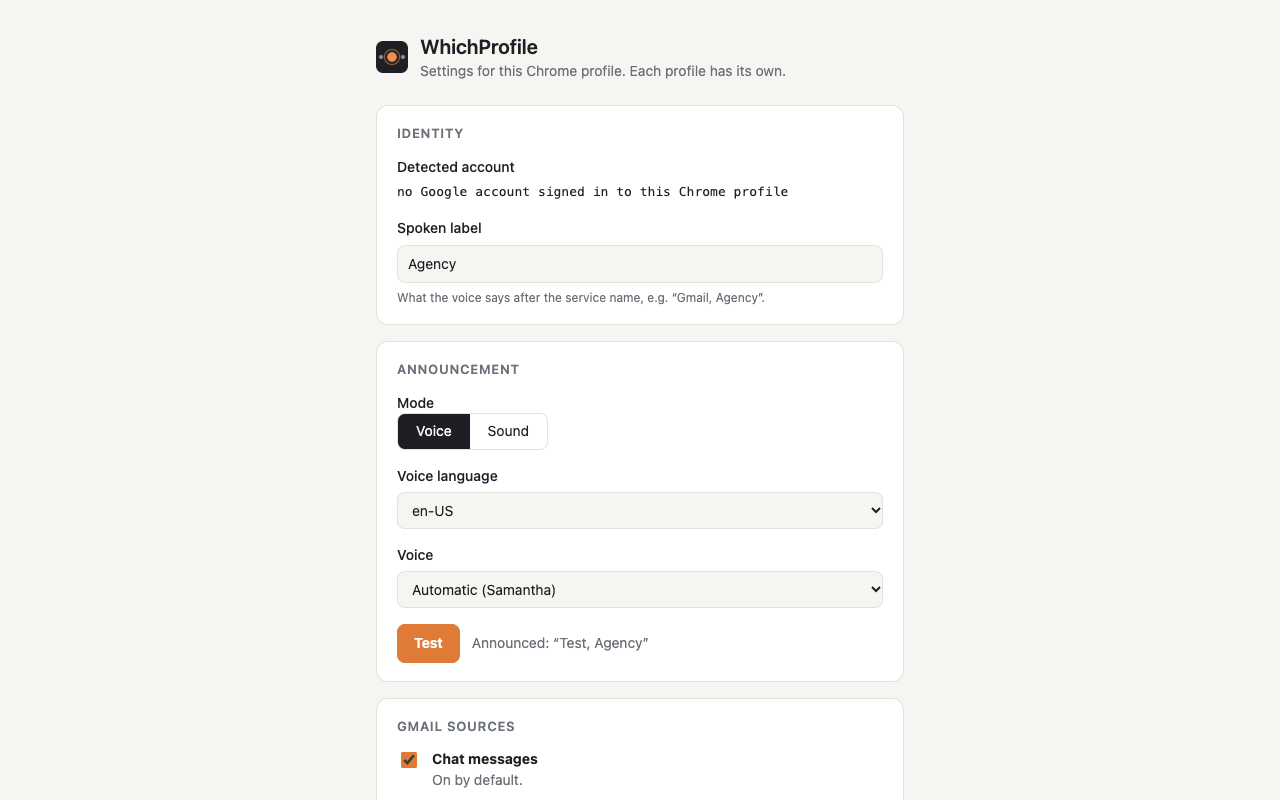
Give each one a label
It suggests one from the profile's account — the part before the @ — and you can change it to anything: Personal, Client, Agency.
Hear the name instead of looking
When a covered site shows a notification, the profile's name is spoken. Prefer a tone? Each profile can have its own.
Gmail, Agency
Honest limits
- The site's tab has to be open — a notification received while the tab is closed is invisible to WhichProfile.
- Several messages from the same site within 12 seconds are announced once. It announces an identity, not every message.
- It covers a fixed list of sites, on purpose: fewer permissions.
Nothing to trust. Everything to check.
Four claims. Each one comes with a way to verify it yourself.
- Nothing leaves your computer.
- How to check: the extension makes no network request — there is no
fetch, no server, no analytics in the code. Only voices installed on your machine are offered; network voices are filtered out. - No message content is read or stored.
- How to check: what it notices is that a notification was created, or that a tab's unread counter went up. That's the whole signal — plus, on Gmail, a count of the items its interface marks unread. Search the code for what it keeps.
- Your account address is never transmitted.
- How to check: it's read locally through Chrome's identity API, only to suggest a label, and stays in that profile's local storage. No network call can carry it anywhere.
- Open source.
- How to check: the whole code, tests included, is on GitHub. What you install is what you can read.
There's a second reader in your browser now.
Agent mode, off by default.
Since AI agents started driving browsers, they have had the same blind spot you had: the page never says which profile it's in. Chrome knows. The page doesn't.
Agent mode puts a small badge on every web page — Chrome profile: Agency
— visible on screen and in the accessibility tree, for screen readers and browser agents alike. Anything that looks at the screen or the accessibility tree can tell where it is.
Websites can't read it: the label lives in a closed shadow root, with no attribute and no text on the page's own DOM. Turning it on asks for access to all sites; turning it off hands that access back.
Building this properly made one thing obvious: browser profiles have become contexts, not just containers.
If your browser knows the context, shouldn't your agent get to see it too?

About
Julian Salaun is a service & product designer and AI consultant. He co-founded Serendyme, an AI product studio, runs Façonner.ai, where he helps companies put AI to work, and teaches UX and service design at Gobelins in Paris. Trained at Central Saint Martins, 13 years in London, now between Paris and the South of France.
He built WhichProfile in an evening, after years of checking every window — then took the day after to write down its limits, because a small tool is only useful if it says exactly what it does. Last month: Dashhound, a rewind dashcam for smart glasses.